
A Live Photo Slideshow for Your Event
Show guest photos on the big screen as they happen. Guests upload with a QR code and their photos appear live on any TV or projector, with reactions, comments, and cinematic effects. No app, no login.
Plans start at $19 — one-time payment. No subscription.
The photos your guests take never make it to the big screen. A slideshow of pre-loaded photos is dead on arrival — nobody built it from the shots happening right now, and guests never get to see their own moments appear.
Why the usual fixes fall short
A pre-built slideshow (PowerPoint / USB)
Static and dated — it can only show photos you loaded beforehand, not what guests are capturing now.
A shared album on a screen
You have to keep refreshing it, and there is no live feed, no reactions, no order.
A laptop + AirDrop to a projector
One person managing it, iPhone-only, and it turns chaotic fast.
A social media / hashtag wall
Only guests who post publicly show up, there is no moderation, and most of the room never joins in.
Why hosts use EventPix.photo
- ✓Guest photos appear on any TV, projector, or screen in real time as they upload via QR.
- ✓New photos refresh on the screen about every 15 seconds — the same speed on every plan, not slowed down on a cheaper tier the way some tools do.
- ✓The live slideshow is included on every plan — open a URL on any device, nothing to install.
- ✓Emoji reactions float across the screen and guests can post live comments (Plus and up).
- ✓Themes, layouts, and cinematic effects — Ken Burns, transitions, overlays — so it is not a plain grid (Plus and up).
- ✓Add a cleared, licensed soundtrack so the room has sound instead of silence (Plus and up).
- ✓Hosting a multi-part event? Play several of your own albums as one continuous show, merged together or chapter by chapter (Pro and up).
- ✓Approve photos before they hit the screen, or turn on auto-approve.
- ✓Hand a shareable no-login control page to your DJ or AV team to run the screen.
Make the screen yours with custom frames
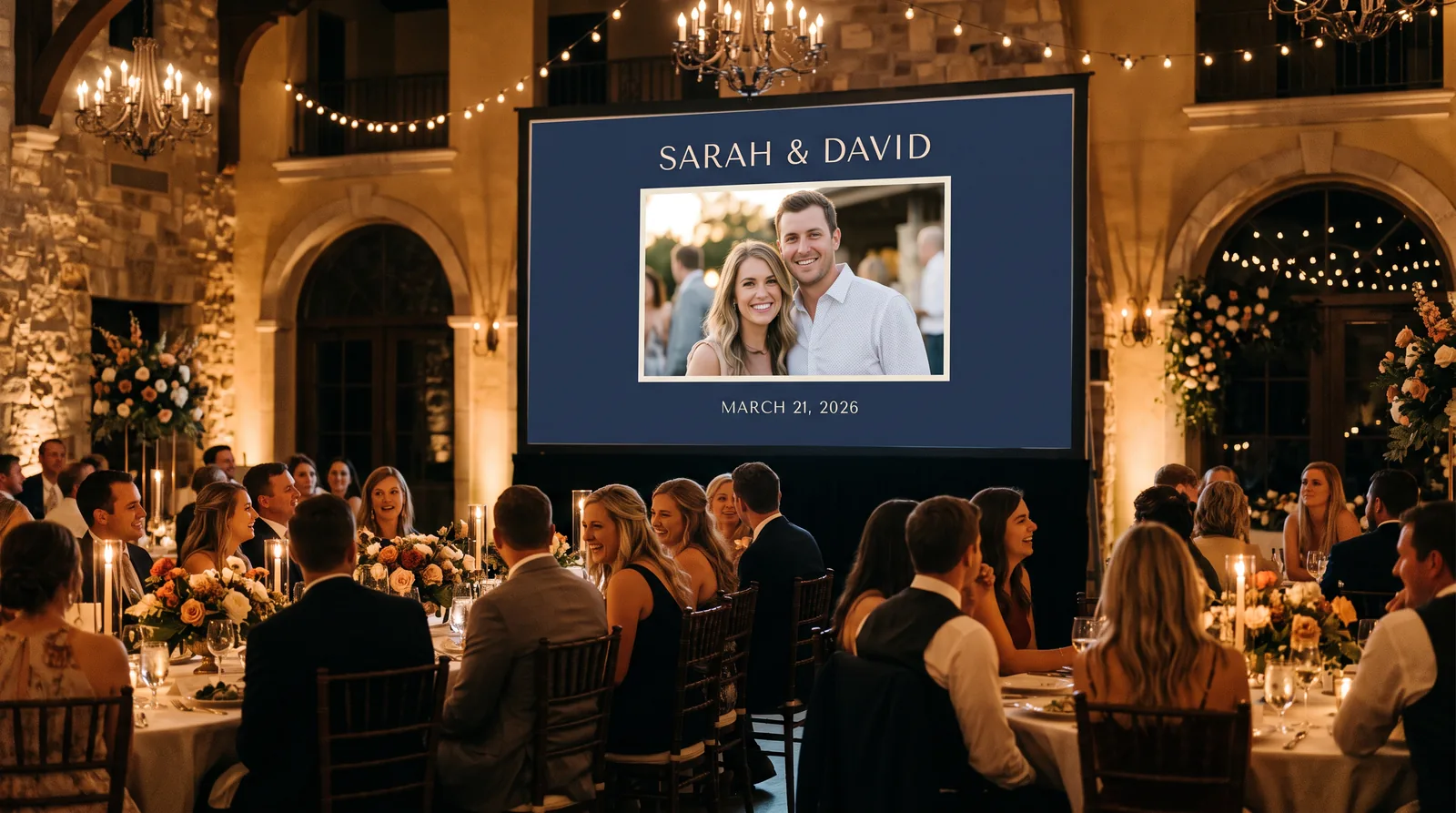
Wrap every guest photo in your own frame: a background and border color plus text zones for your event name, the date, or a scan-to-upload prompt. Start from a preset, match it to your event, and the frame stays put as photos cycle through, so the screen looks like part of your event all night instead of a generic gallery.
- ✓Three starting styles (Classic Serif, Modern Minimal, Elegant Dark) you can recolor and rename.
- ✓Insert fields drop in your event title, the date, the uploader’s name, or an upload QR code.
- ✓Save a frame as a preset and reuse it at your next event.
- ✓Tweak it live from the no-login control page, so a helper or DJ can adjust it on the day.
How it works
- 1
Create your album
Set up your event and shared gallery, and share the QR code with guests.
- 2
Open the slideshow on a screen
Open the slideshow URL on any TV, projector, or laptop — no app.
- 3
Photos appear live
Guest photos show up in real time as they upload, with reactions and comments.
Pay once. No subscription.
Pick a plan based on the size of your event. You can upgrade anytime.
Basic
Small gatherings — the essentials
$19one-time
- ✓1 album
- ✓500 photos
- ✓QR code upload
- ✓Live slideshow
- ✓Photo moderation
Most popular
Plus
Weddings & big parties — video, themes, more albums
$39one-time
- ✓3 albums
- ✓2,000 photos
- ✓Video uploads (100 MB)
- ✓Disposable camera mode
- ✓Themes & cinematic effects
Pro
Full creative control — custom branding, bigger limits
$89one-time
- ✓5 albums
- ✓5,000 photos
- ✓Video uploads (500 MB)
- ✓Custom colors & hide branding
- ✓All themes & effects
Frequently asked questions
What is a live photo slideshow?+
It is a slideshow that displays your guests’ photos on a big screen in real time during your event. As guests upload photos by scanning your QR code, they appear on the screen within seconds — no one has to build the slideshow beforehand.
How fast do new photos appear on the slideshow?+
New photos appear on the slideshow within about 15 seconds of being approved. It is the same refresh speed on every EventPix.photo plan — some tools slow the refresh down on their cheaper tiers, but EventPix.photo does not.
How do the photos get on the screen?+
Open the slideshow URL on any TV, projector, monitor, or laptop browser. As guests upload, their photos appear live. You can also enter a short display pair code to start the slideshow on a screen without logging in.
Do guests need an app to add photos?+
No. Guests scan your QR code and upload from any modern phone browser on iPhone or Android — no app and no account. The slideshow itself also runs in a browser.
Can I use a live slideshow at a corporate event?+
Yes. Open the slideshow on stage screens, lobby TVs, or projectors. Photo moderation keeps it brand-safe — you approve each photo before it appears — and custom frames (Plus and up) can wrap every photo in your company name and colors, with custom theme colors and hidden branding on the Pro plan.
Can guests react or comment on the slideshow?+
Yes. Emoji reactions are included on the Plus plan and up, and Twitch-style text comments that scroll over the slideshow are on the Pro plan and up. Both are moderated.
Can I control what appears on the screen?+
Yes. Photo moderation lets you approve each photo before it goes live, or you can turn on auto-approve. A shareable no-login control page lets a DJ or helper manage the screen for you.
Can I combine several albums into one slideshow?+
Yes. On the Pro plan and up you can group several of your own albums into one continuous show and play them merged together or chapter by chapter, each album as its own section. It suits a multi-part event like a wedding weekend or a conference with several sessions, where each part has its own album but you want one show on the big screen. New photos still appear live as guests upload to any of the albums.
How much does a live slideshow cost?+
The live slideshow is included on every EventPix.photo plan, which uses one-time pricing from $19 with no subscription. Reactions, live comments, themes, cinematic effects, and background music are on the Plus and Pro plans, and a combined slideshow of several albums is on Pro.
Every guest photo, in one place.
Share one QR code and let guests add their photos — no app, no accounts.
Create Your AlbumPay once per event. No subscription. Plans start at $19.