
Year-Long Collections
A year-long home for a whole group’s photos
A Collection is a 12-month collaborative workspace. A whole team — a school, an alumni committee, a congregation, a family — gathers photos and the stories behind them into one organized archive, then downloads everything to keep.
$229/year · $179/year for verified nonprofits and schools.
Room for ~25,000 photos (100 GB). Videos and large scans use more space; add storage anytime.
Gather from everyone
Share one link. Anyone can add photos from their phone or computer — no app, no account to create.
Keep the stories, not just the files
Every photo carries the year, the names, and a short description. A team sorts, tags, and approves together.
Download everything to keep
Export the whole archive at original quality plus a spreadsheet of every detail. What you download is yours.
Choose your Collection
Each type starts with a folder structure and details built for the work — pick the one that fits.
School Yearbook Collection
Parents, students, and teachers add photos all year — organized and ready when it’s time to build the book.
Learn more →Alumni Photo Collection
Graduates add reunion and class-year photos into one shared archive that grows with every reunion.
Learn more →Community History Collection
Neighbors and local historians gather your town’s photos — with the year, place, and story — in one heritage archive.
Learn more →Church History Collection
Members and clergy bring decades of congregation photos together for an anniversary or the next generation.
Learn more →Family History Collection
Every relative adds the photos no one else has — named and dated — into one archive you pass down.
Learn more →Inside a Collection
These screens come from the sample Collection.
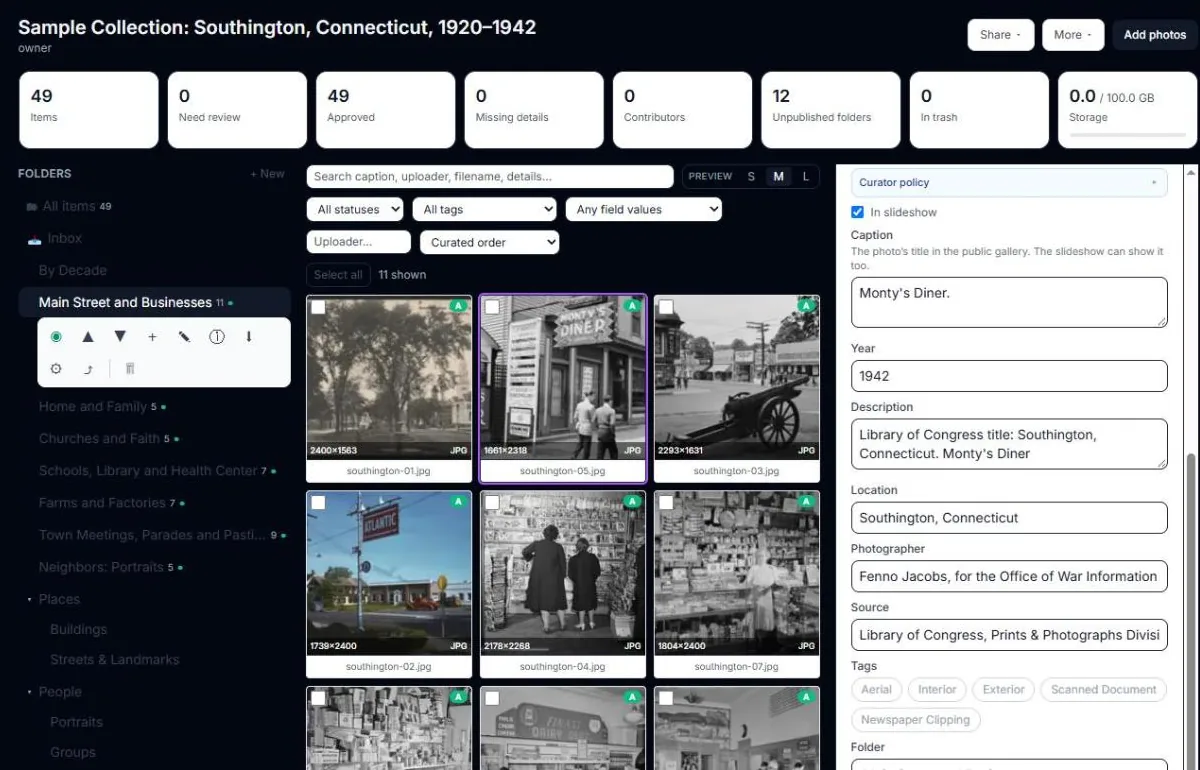
- 1Sort photos into folders. Only the folders you publish go public.
- 2Every photo your team and contributors add. New uploads wait for your approval.
- 3Add a caption, date, place, and source to each photo.
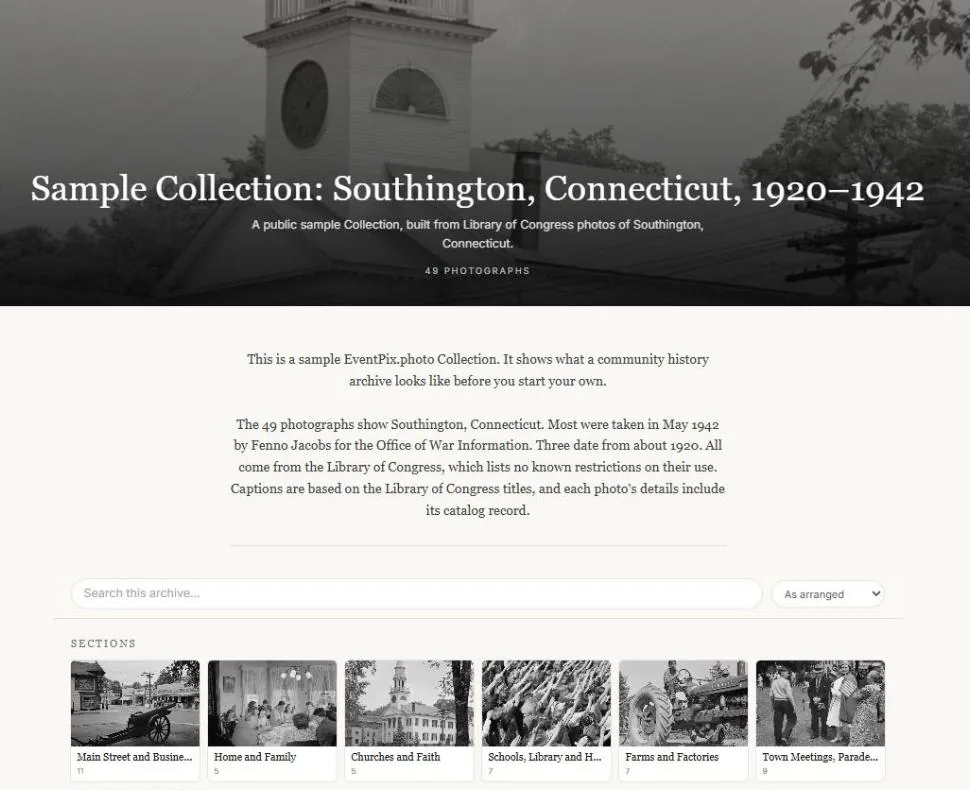
- 1Your cover photo, title and a short introduction.
- 2Visitors can search every caption and detail.
- 3Each published folder becomes a section.
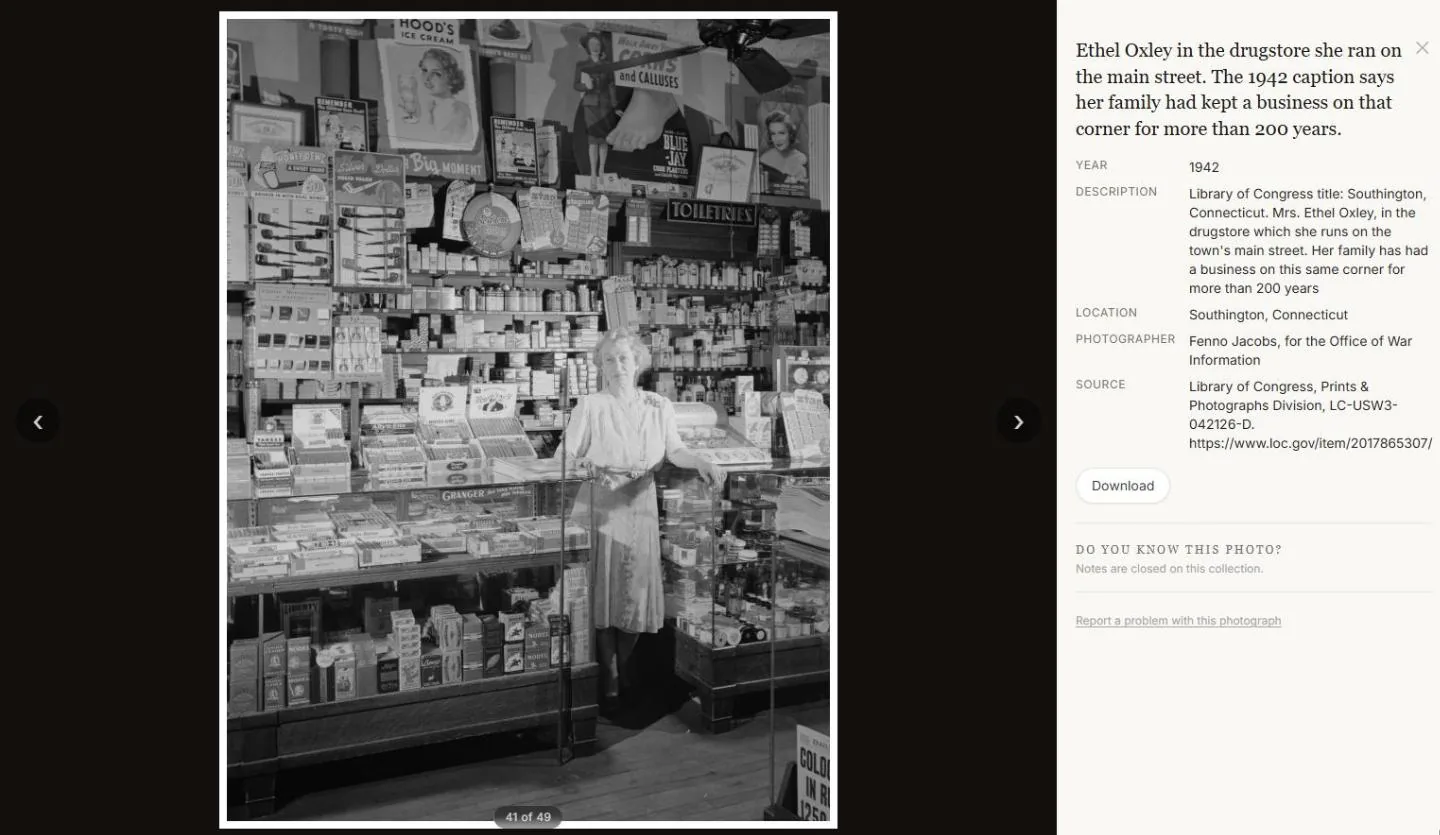
- 1The caption becomes the photo’s title.
- 2Every detail you recorded, from the year to the source.
- 3Visitors use the arrows to move through the archive.
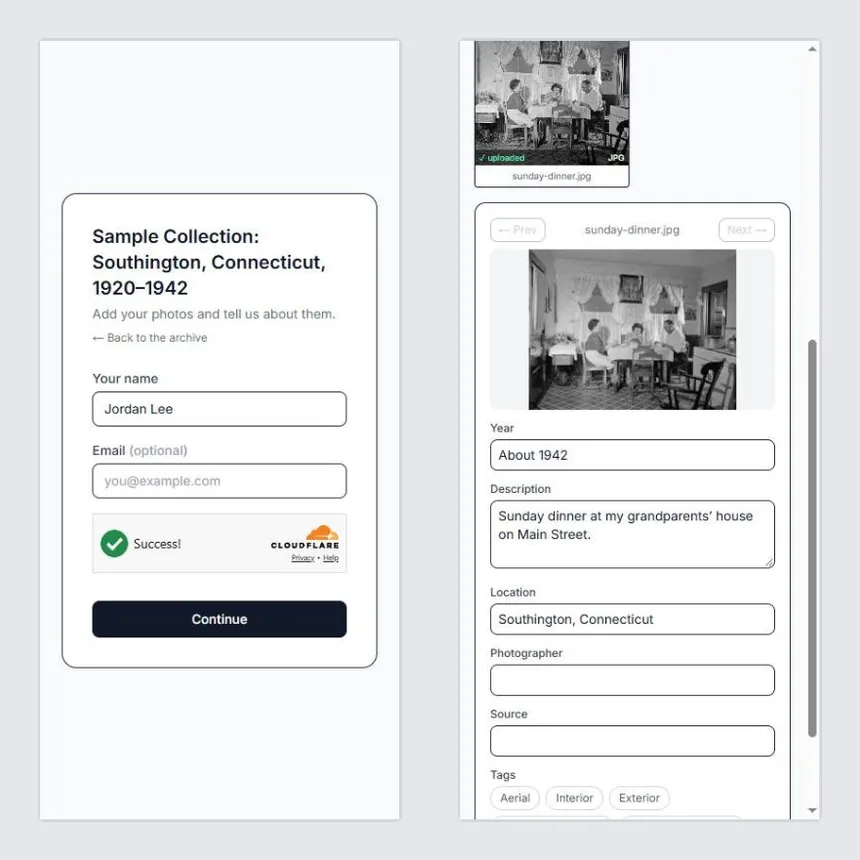
- 1Contributors open your link and type their name. No account to create, no app to install.
- 2Each photo lands in your Inbox and stays private until a curator approves it.
- 3They add the year, a description, and the place while they remember it.
Start your Collection
Set it up in minutes, share one link, and let the whole group fill it in. The workspace is yours for the year; the archive you download is yours to keep.
Already have a Collection? Manage your Collections →