
How to Collect Alumni Photos for a Reunion
Send one upload link with the save-the-date, ask for the class year and names, and sort as photos arrive. Here's how to run a reunion photo drive.
The simplest way to collect alumni photos for a reunion is to start a few months early: send one upload link with the save-the-date, ask graduates to add their class year and the names in each photo, and sort what comes in by class year as it arrives. By reunion weekend you have photos ready to show, and the collection keeps growing afterward instead of scattering again.
Here's how to run that photo drive, what to ask alumni for, and how to handle decades-old prints.
Why Reunion Photos Scatter
Graduates arrive at a reunion with phones full of pictures and, often, an album or two from their student days. The photos get passed around the room, and then the weekend ends. The photos go home with the people who brought them, and the next committee starts from nothing.
Asking only at the reunion has a second problem: the oldest photos are in shoeboxes and albums, not on anyone's phone. Graduates need time to find them and a simple way to send them.
Step 1: Start Months Before the Reunion
Open the photo drive when you announce the reunion. Put one upload link, and a QR code for printed mailings, in the save-the-date, the class newsletter, and the class social media groups. Graduates who can't attend can still send photos, and the committee sees what's coming in long before the weekend.
Here's a reminder you can paste into a class newsletter or group post:
We're gathering photos for the reunion. If you have pictures or videos from your years on campus, or from past reunions, please add them here: [your link]. Add your class year and the names of anyone you recognize. Old prints are welcome too: a phone photo of the print works. If you live near campus, a photo of a favorite spot today helps us pair it with an old one.
Step 2: Ask for the Class Year and the Names
A photo with no context is hard to use. Ask alumni to add three details with every photo:
Class year: the year of the people in the photo, or their best guess.
Names: anyone they recognize, spelled the same way each time. The yearbook's spelling is a good standard.
A line about it: the event, the place, or the story behind it.
Seeing a photo often brings the details back. A caption like “Class of 1985, homecoming float, the night before the game” gives the committee what it needs to file it.
Step 3: Make Room for Old Prints
Many of the best reunion photos exist only on paper. Alumni don't need a scanner. A phone photo of the print, laid flat in good light with no glare, is enough for a slideshow or a gallery. A whole album page can go in as one photo, with the details added afterward.
Ask for the original files rather than photos sent by text. Texting compresses photos, and the lost detail shows on a big screen.
Step 4: Sort by Class Year as Photos Arrive
Set up folders before the first photos arrive, so nothing piles up unsorted:
By class year, with a folder for each year that attends.
Reunions, split into recent and milestone years.
Campus life: traditions, athletics, and Greek life.
Faculty and staff.
Then and now: an old photo beside one of the same place today.
Two or three committee members can sort for a few minutes a week, moving new photos into folders and filling in missing names. Spread over a few months, it stays a small job.
Step 5: Show Them at the Reunion
Once the photos are sorted, run the approved photos as a slideshow on a screen at the reunion, or share a gallery link in the welcome email. Then-and-now pairs and old team photos give people something to gather around. Keep the upload link on the sign-in table, so alumni can add photos during the weekend too.
Step 6: Decide What to Publish
Many alumni photos were taken when the people in them were students, some of them minors. Before you share anything outside the committee, decide whether full names are published, and leave out photos that are really personal pictures that happen to include a classmate. If someone asks to be removed, remove the photo first.
How EventPix.photo Handles This
EventPix.photo has an Alumni Photo Collection built for this job. You share one link, or its QR code, and graduates add photos and videos from any phone or computer, with no app and no account. Each one can carry the class year, the names, and a short description.
If you only need photos from the reunion weekend itself, an EventPix.photo event plan covers that one event with a live slideshow. A Collection fits when the archive spans many class years, a committee curates it over months, and it should carry forward to the next reunion.
The Collection starts with folders for class years, reunions, campus life, faculty and staff, and then and now. Committee members can be invited as curators to sort, tag, and approve. Nothing a graduate uploads appears in a gallery or slideshow until someone on your team approves it, and the Collection stays private until you publish the folders you choose. Volunteer committees turn over, so the owner can hand the Collection to the next lead, and the archive stays with the alumni association instead of sitting in one graduate's personal account.
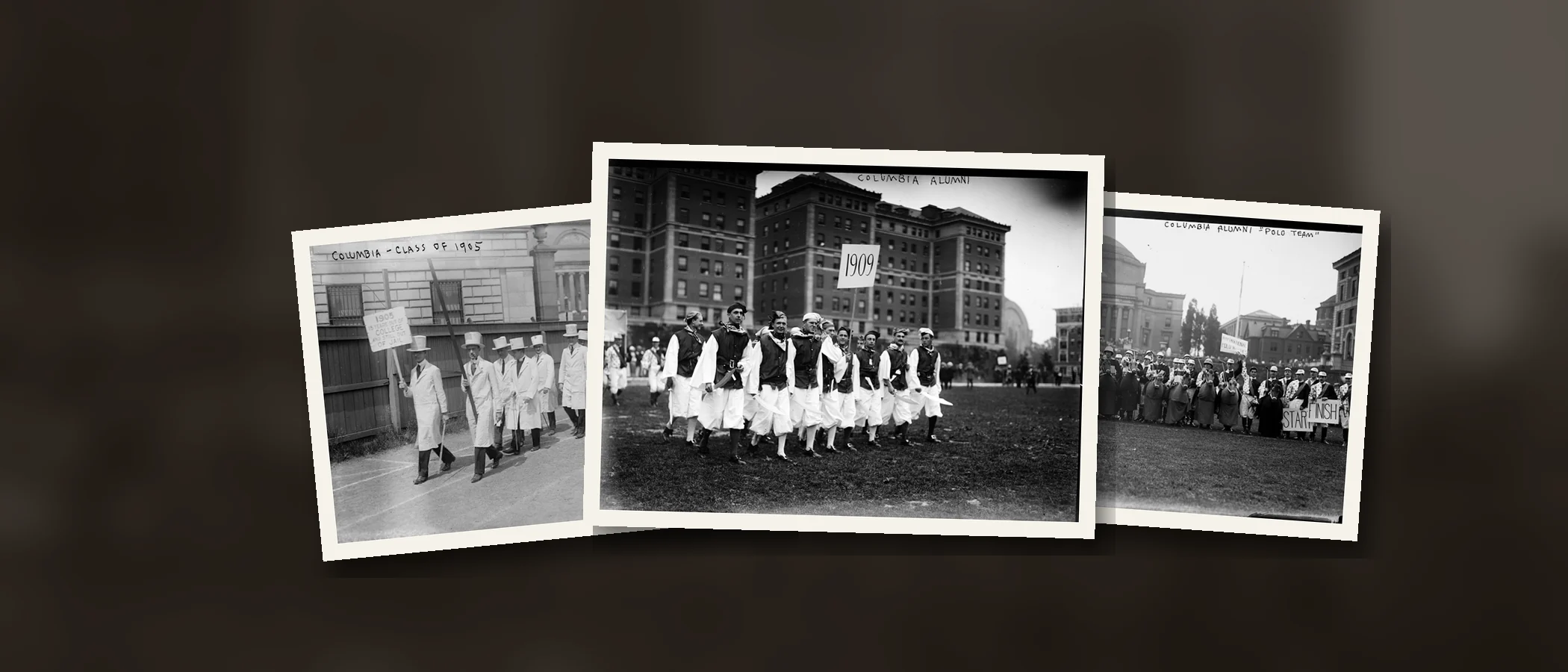
A Collection runs for 12 months. Renew it and the archive carries forward to the next reunion instead of starting over. It costs $229 a year, or $179 a year for verified nonprofits and schools. To see how it looks, browse a sample Alumni Photo Collection of 52 photographs of Columbia University from about 1900 to 1920.
Frequently Asked Questions
When should we start collecting reunion photos?
Three to six months before the reunion, when you send the save-the-date. That gives graduates time to dig out old prints and gives the committee time to sort.
Do alumni need an account to add photos?
Not with EventPix.photo. Alumni use the upload link from any phone or computer. Only the committee members who organize the photos sign in.
Can we show the photos at the reunion?
Yes. Publish the folders you choose as a gallery, or run them as a slideshow on a screen at the event. Photos appear only after your team approves them.
What happens when our committee changes?
The owner can transfer the Collection to another committee member who has joined it, and the previous owner stays on as an admin. Curators can be added or removed at any time, so the photos and the work already done carry over to the next team.
How many photos can a Collection hold?
A Collection includes 100 GB of storage, room for about 25,000 phone photos. Videos and large scans use more space. If your Collection fills up, the owner can add storage in 25 GB blocks.
What happens after the reunion?
The Collection stays open for its 12-month term, so alumni can keep adding photos. The owner and admins can download everything as a ZIP of the original photos and videos, with a spreadsheet of every caption and detail, and renewing keeps the archive going for the next reunion.