
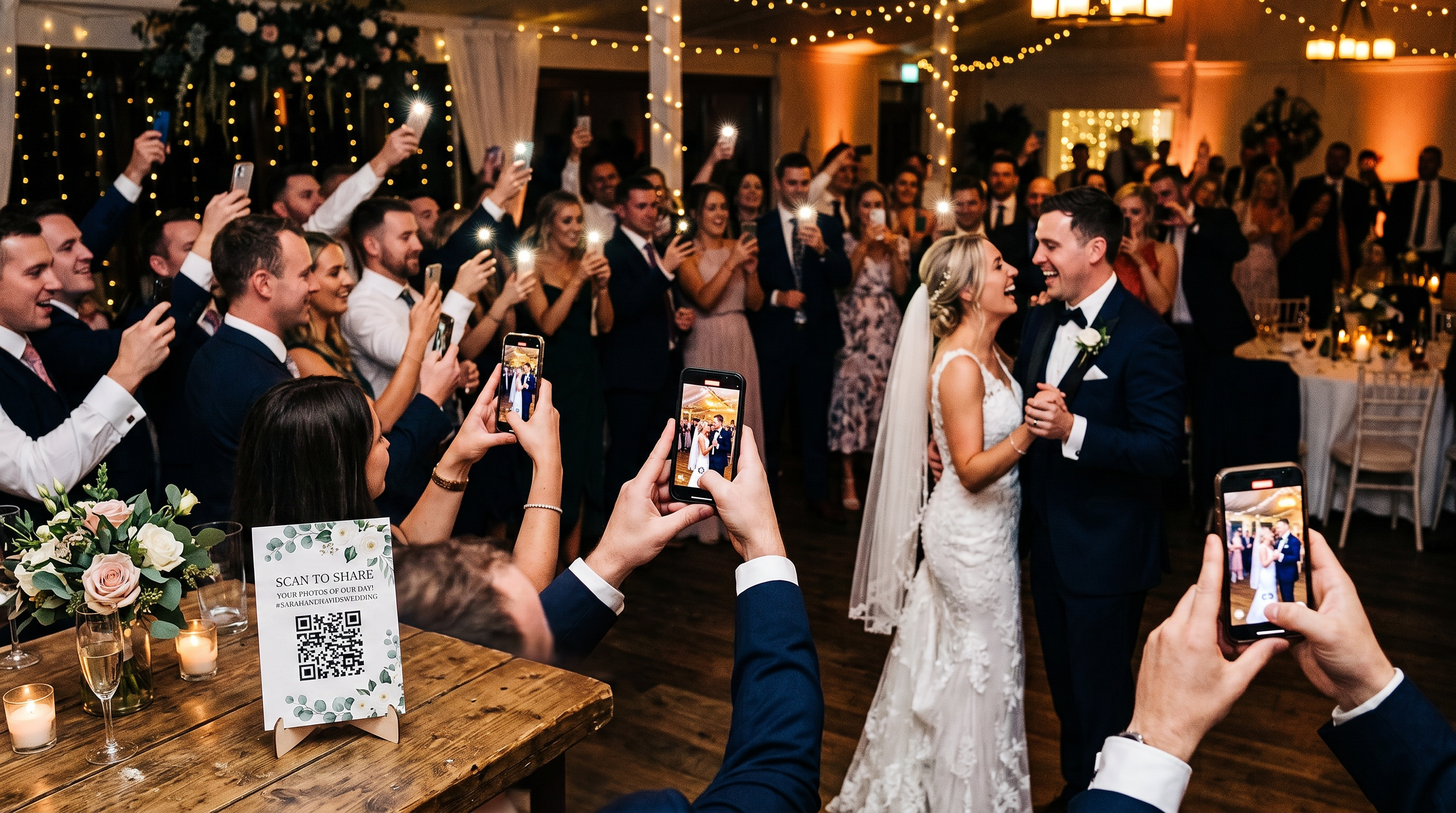
How to Get Your Wedding Guests to Actually Upload Photos
The number one worry couples have about a photo-sharing QR code is simple: will guests actually use it? Here is how to make sure they do, with tips on placement, timing, and a live slideshow that pulls everyone in.
You have picked your EventPix.photo plan, printed your QR codes, and you are ready to collect every photo your guests take. Then the doubt creeps in: will they actually use it? It is the single most common worry couples have, and it is a fair one. The good news is that guest participation is not luck. It comes down to three things you control: where you put the QR code, when you ask, and whether you give guests a reason to join in.
Here is how to get your wedding guests uploading, from the first arrival to the last dance.
Why guests don't upload (and why every reason is fixable)
When guests don't share photos, it is almost never because they don't want to. It is one of three things: they never noticed the QR code, they weren't sure what it was for, or they simply forgot in the moment. None of that is about your guests being difficult. It is about visibility, clarity, and timing, and all three are easy to design for.
1. Put the QR code where eyes already are
The most common mistake is placing one small sign by the guest book and hoping. Put your code everywhere guests naturally pause and look:
On every table. A small card or tent sign in the centerpiece is the workhorse. Guests sit for a while, so this is where most scans happen.
At the bar. People wait there with their phones already in hand.
By the photo booth or backdrop. Guests are in photo mode already.
At the entrance. A larger welcome sign sets the expectation as guests walk in.
On the back of the program or menu. Guests read these while they wait.
On the screen. If your DJ or venue has a display, show the code between songs.
Add one short line of instruction under the code so no one has to guess, such as "Scan to add your photos to our gallery." A clear wedding QR code that works on any phone camera, with no app to download, removes the last bit of hesitation.
2. Time the ask, and ask more than once
A code sitting on a table is passive. A spoken invitation is what actually triggers people to scan. Work a few gentle prompts into the day:
At the welcome or first toast. Have your MC or best man say one line: "Grab the QR code on your table and add your photos, we want to see the night through your eyes."
After dinner, before dancing. This is the sweet spot. Guests are relaxed, fed, and about to start taking their best candids.
At the slideshow reveal. The moment the first photos hit the big screen (more on that next), point to it and invite everyone to add theirs.
Two or three natural nudges across the night will always beat a single announcement that half the room misses.
3. Make the live slideshow the reason to join in
This is the single most powerful trick you have. Put your photos on a live slideshow on any TV, projector, or screen at the reception. As guests upload, their shots appear in real time for the whole room to see.
Something happens when a guest spots their own photo up on the big screen: they smile, they nudge the person next to them, and that person immediately wants theirs up there too. The slideshow turns uploading from a chore into a game everyone wants to play. It is the difference between a handful of photos and hundreds.
4. Keep the effort at zero
Every extra step costs you uploads. The reason a QR gallery works at a wedding, where guests span every age and every kind of phone, is that there is nothing to learn. Guests point their camera at the code, tap the link, and add photos straight from their camera roll. No app, no account, no login. When you collect photos from your guests this way, even the least techy uncle can do it in about ten seconds.
Your day-of checklist
QR codes on every table, at the bar, at the entrance, and by the photo booth.
One clear instruction line under each code.
The live slideshow running on a screen where the whole room can see it.
Your MC briefed to invite guests two or three times across the night.
A quick test scan yourself before doors open.
Frequently Asked Questions
Will older guests be able to use a QR code?
Yes. Modern phone cameras read QR codes automatically, so a guest just points their camera at the code and taps the link that appears. There is no app to install and no account to create, which is exactly why it works across every generation at a wedding. A clear "Scan to add your photos" line under the code is all most guests need.
Do guests need to download an app?
No. Guests upload straight from their phone browser after scanning the code. Nothing to download and nothing to sign into keeps participation high and the barrier low.
How many guests usually upload?
It depends almost entirely on visibility and prompting. A single sign by the guest book gets a trickle. Codes on every table, a couple of spoken invitations, and a live slideshow running where people can see it will get a large share of your guests contributing, often hundreds of photos across one reception.
What if a guest uploads a photo we don't want shown?
You stay in control. With EventPix.photo, you (or a helper you assign) can approve or hide photos, so only the ones you want appear in the gallery and on the slideshow. You can moderate from your phone during the event, or turn on auto-approve if you would rather every photo post instantly.
When should we set up the QR code?
Create your gallery and print your codes a week or two before the wedding, and do a test scan yourself so you know exactly what guests will see. On the day, have the codes and the slideshow in place before guests arrive.
Give your guests an easy way in
Guest participation is not down to luck. Give people an easy way to share, a visible reason to do it, and a few well-timed nudges, and they will fill your gallery with the moments you never would have seen otherwise.